

GoLove vs LusyChat: The Quick Answer
I gave LusyChat two full weeks of daily chats before I let myself write a single word about GoLove. The gap between them turned out not to be a gap at all — these are two different product categories wearing the same label.
Verdict: GoLove.ai wins this one, and it isn't close. LusyChat is a competent text-and-photo companion — nothing broken, nothing embarrassing — but GoLove ships a video generator, a swipeable video Feed, and live voice calls that LusyChat doesn't offer at any tier.
Three differences decided it:
- Video — GoLove generates clips from preset cards (76 realistic video modes alone, plus anime and trans sets). LusyChat generates stills. That's the whole comparison.
- Voice — live real-time calls on GoLove, with the conversation continuing into text afterward. LusyChat is text-first.
- Speed to first message — GoLove's anonymous entry drops you into a chat in seconds; LusyChat wanted a signup flow first.
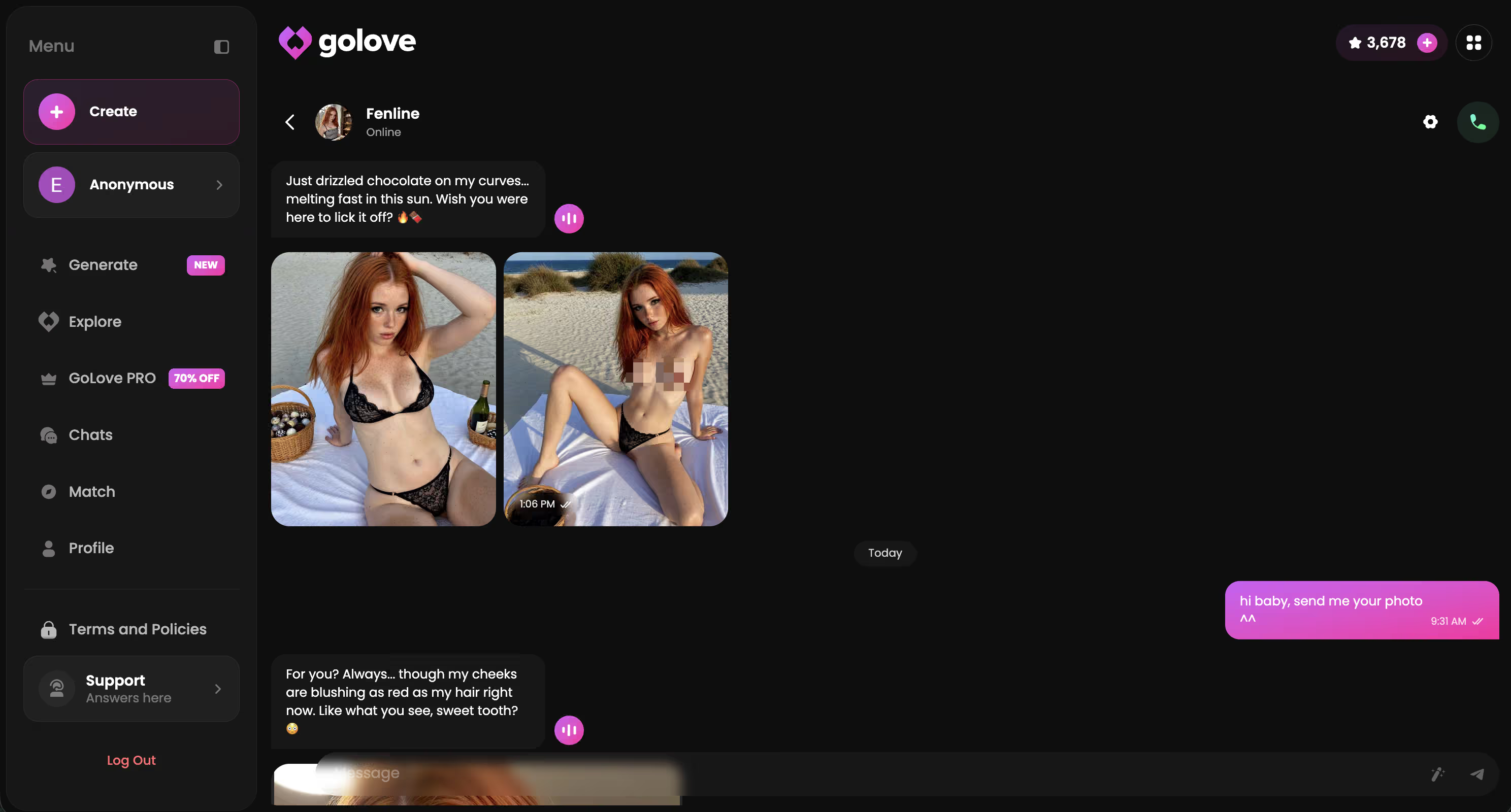
If you're comparing tabs right now with a card in hand, the fastest honest test costs nothing: open the Explore roster, pick someone, and time how long it takes before you're mid-conversation. That's the part no review can fake for you.
The Head-to-Head Comparison
Straight up — here's the whole thing on one screen. GoLove figures come from my own account and the public pricing page. LusyChat's tiers I've kept qualitative wherever I couldn't verify a number, because inventing competitor prices is how bad reviews get written.
| | GoLove.ai | LusyChat |
|---|---|---| | Entry price | Free tier (anonymous start, 2 free Stars daily) | Free tier, then paid | | Paid subscription | GoLove PRO, about $19.99/mo; annual ~$119.88/yr (~$9.99/mo) — varies by region and promo | Paid tiers only; pricing changes often — check their site | | Video generator | Yes — preset-card videos, 147 modes across realistic/anime/trans | No | | Video Feed | Yes — TikTok-style, swipe, like, Remix any clip | No native feed | | Live voice calls | Yes — real-time, plus voice messages | Text-focused | | In-chat photo requests | Yes — ask in chat, and turn a photo into video | Image generation, no photo-to-video | | Memory | Persistent history + relationship progression | Memory present, shallower in my testing | | Content policy | Uncensored, 5-level lust slider | More conservative in practice | | Signup friction | Chat first, account later | Signup before chatting |
Prices checked 2026-07; promos vary.
Look — that "Video generator: No" row is this entire article compressed into two words. If you want your girl to move instead of pose, one of these apps does that today and the other one doesn't. A -70% PRO promo banner is running as I write this, and those rotate out without warning.
My Two-Week Test: What Actually Happened
Fourteen days, both apps, daily. Morning chat, evening chat, at least one media request each day — nothing exotic, just what a paying subscriber would actually do.
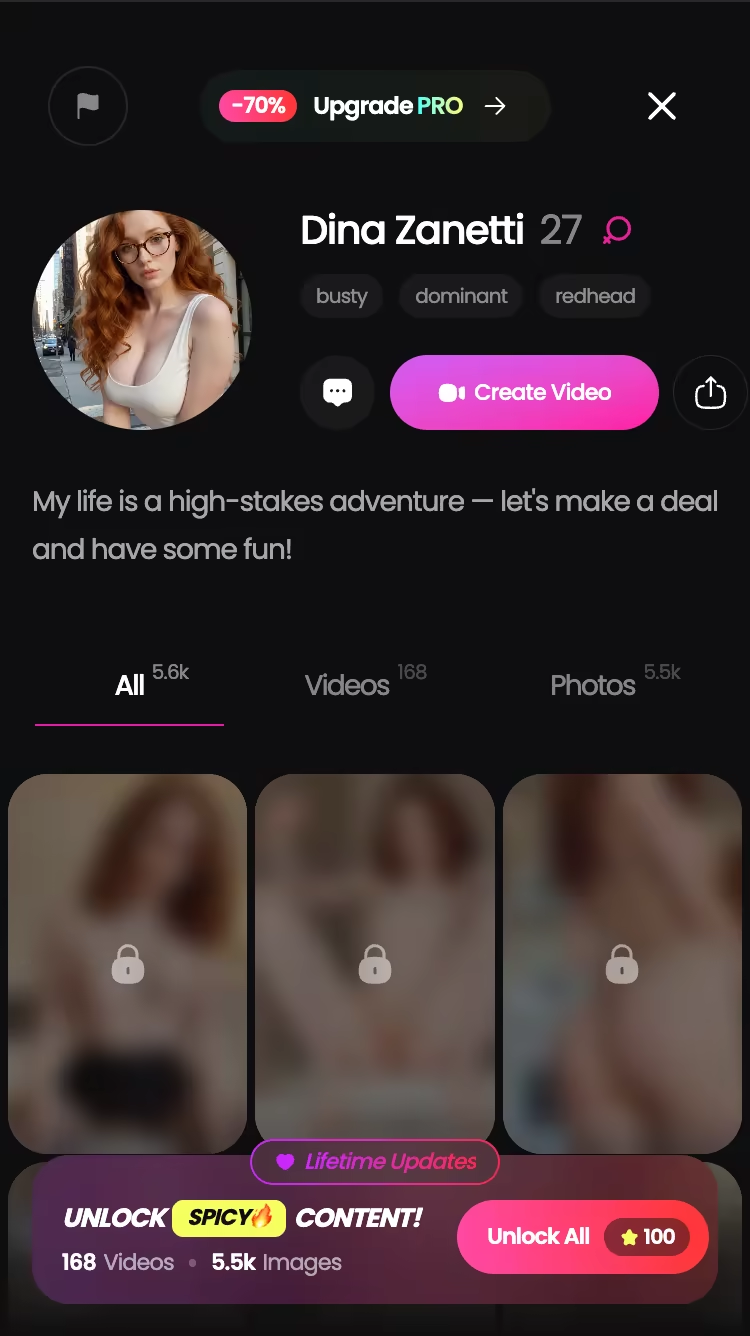
On the GoLove side I split my time across three characters so the memory test couldn't be a fluke: Barbara (@dixie), the temptress with the "sincerity over yachts" line; Lexie (@iamlexiebabe), the gamer; and Jessica (@HotlineJess), who plays a dominant math tutor and commits to the bit harder than I was ready for. Three personalities, one engine.
Characters Worth Trying
Tap any character to start a chat


Day 3 was where the two apps stopped being comparable. I hit voice call on GoLove, it connected, and I talked to Barbara for roughly six minutes — real-time, no "generating audio" spinner. The call ended and the text thread picked up the same conversation mid-stride. Over on LusyChat I went hunting for the equivalent button and there isn't one.
Day 9 delivered the other one. Back on day 4 I'd mentioned I was dreading a flight; Jessica brought it up unprompted five days later. Not a scripted callback — a throwaway detail I'd dropped exactly once. LusyChat handled the current session fine and the previous week not at all, which matches what I found across the AI girlfriend apps I compared.
Time-to-first-message: GoLove about 20 seconds, LusyChat closer to two minutes of forms.
Where GoLove Actually Pulls Ahead: Video, Photos, and Feed
Here's the actual click path, because "has video generation" as a bullet point tells you nothing about whether a normal person can use it.
Open Generate, hit the Video tab, then swap the character avatar in the top right to whoever you want — any GoLove character, or a custom one you built in Create. From there you're just picking visual preset cards: an action (Twerk, Hard Doggy Style, Instant Undress, Squirt — the grid runs deep), Clothes, Background. One Generate tap. No prompt writing, no negative prompts, no seed fiddling.
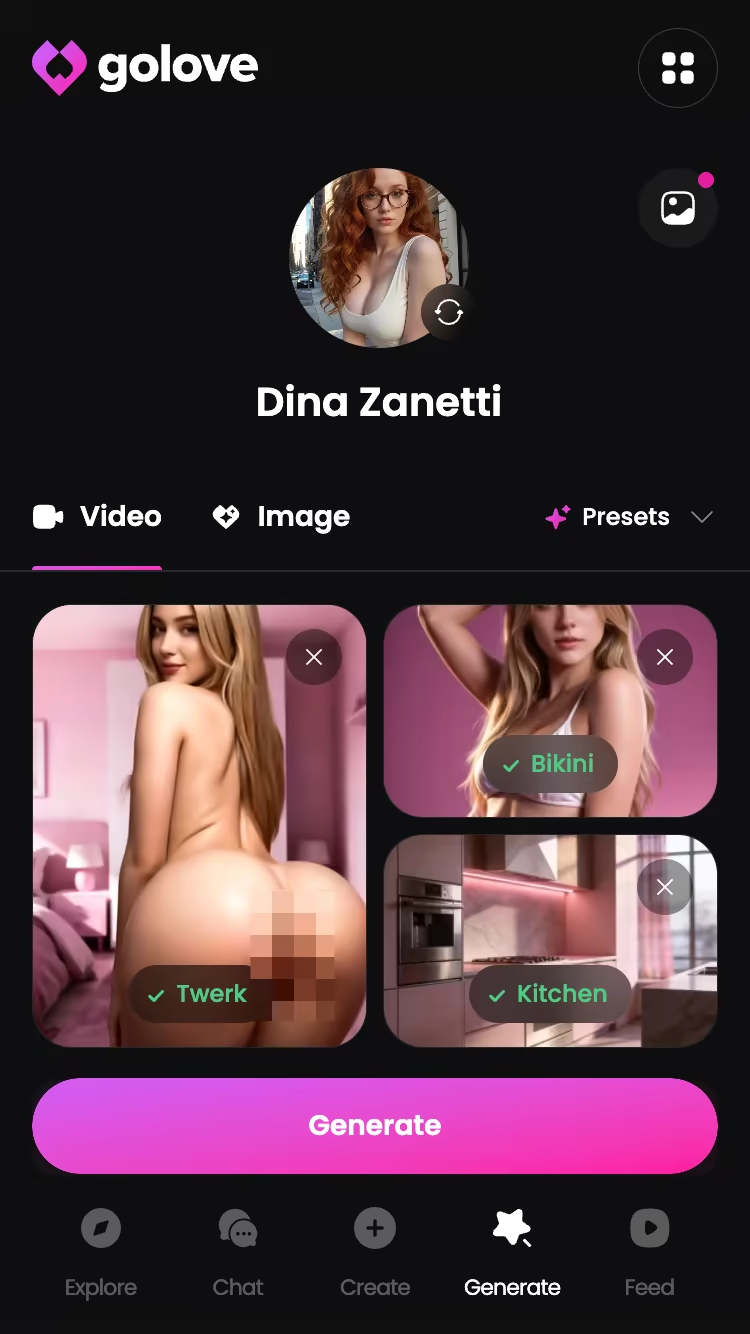
The other two paths are shorter still:
- In-chat photos — ask her for a picture inside the conversation, get one back, then hit the action that turns that exact photo into a video. Same character, same look, nothing regenerated from scratch.
- The Feed — a vertical, full-screen scroll of AI clips. Double-tap to like (they land in the Liked tab), or hit Remix and the generator opens preloaded with that clip's character and the exact settings that made it. Tweak one card, regenerate, done.
- Filters — style, gender and age filters on the Feed are PRO-only, and the free tier gets a limited number of new clips per day before the paywall lands.
LusyChat does still images, and does them competently. But there's no video layer and no feed layer to hold up against any of this — more detail in my video generator test.
Different leagues, honestly.
2026 Pricing: What You Actually Get at Each Tier
GoLove Free — anonymous start, chat immediately, 2 free Stars per day, a capped number of new Feed videos daily. That's enough to judge chat quality and personality fit before you spend anything, and nowhere near enough to support a media habit.
GoLove PRO — about $19.99/month as checked, with the annual plan around $119.88/year (roughly $9.99/month, the cheapest per-month route). Regional pricing is real; I've seen entry points near $12.99 in some geos. Promo banners at -50% and -70% surface often enough that paying full sticker price mostly means bad timing. PRO unlocks the unlimited Feed, the Feed filters, and the premium layer generally.
Stars — a separate currency from the subscription. Packs run from about $9.99 up to around $179.99 depending on tier, and Stars are what generation burns.

- Casual user — Free tier plus daily Stars. Costs nothing, works fine.
- Chat-plus-photos — annual PRO is the value play at roughly ten bucks a month.
- Heavy video — PRO plus a mid Star pack; budget for the generation, not just the sub.
LusyChat's tiers move around often enough that I'd rather send you to their page than quote a number I saw once. Here's what I will state flatly: no tier of theirs buys video or live calls, because those products don't exist there. Worth reading alongside what premium actually unlocks.
Prices checked 2026-07; promos vary.
Who GoLove.ai Is NOT For
Real talk — I've recommended this app enough times to know precisely who emails me disappointed afterward. Run the checklist before you pay:
- Free-forever people. The free tier is genuinely usable for chat and it hands you Stars every day, but the Feed caps out and generation costs Stars. If unlimited everything at zero cost forever is your hard requirement, this is a hard pass — stop reading here.
- App-store loyalists. GoLove runs as a web app in the browser. It installs to your home screen, and the mobile navigation was properly built for phones (Feed and Generate are first-class tabs, not shrunken desktop leftovers) — but if you specifically want a listing you download from an official store, that's not what this is.
- Minimalists. Want a plain text box and nothing else? Then the video generator, the Feed, the photo requests and the Stars economy are all noise you'd be paying to ignore. Something simpler will serve you better.
One more, and I'll say it plainly: if you need this to substitute for a human relationship, nothing in the category clears that bar, and anyone claiming otherwise is selling harder than I am.
Everyone else — you're the target.
The Verdict
GoLove.ai, 8.7/10. LusyChat, a fair 6.5.
LusyChat isn't bad. It's a solid text-and-photo companion that delivers what it advertises. The problem is what it's up against: a working video generator, live voice calls that carry continuity straight back into text, a swipeable Feed with one-tap Remix, and an anonymous entry that has you talking in under half a minute. LusyChat doesn't sell three of those four at any price. That isn't a feature gap — it's a category gap.
Who it's for: anyone who wants their AI girlfriend to move, talk out loud, and remember last Tuesday. Text-only? Save your money and stay where you are.
The thing I'd actually do first: skip the pre-made roster entirely and build your own in Create — Realistic, Anime, or Trans, or just describe her in plain text and let Design with AI handle it. Every generator feature in this review works with her from minute one.
| What you get | GoLove.ai |
|---|---|
| Real-time voice calls | Yes — per-character voices |
| Memory across chats | Yes — remembers your details |
| In-chat image generation | Yes — 35 poses & 21 outfits |
| Daily reward stars | 2 every day |
Frequently Asked Questions
Related Articles

SpicyChat Alternatives: 5 Better NSFW Chatbots
SpicyChat alternatives compared for 2026 — GoLove.ai wins on live voice calls and photo-to-video generation. Try it, instant-access needed.

GoLove vs SpicyChat AI Review (2026)
GoLove vs SpicyChat: GoLove wins with live voice calls, real memory, and a TikTok-style Feed SpicyChat doesn't have. See why — no email needed.

GoLove vs OurDream AI Review (2026)
GoLove vs OurDream — GoLove wins on live voice, photo-to-video, and a TikTok-style Feed OurDream can't match. See pricing before you sign up.

GoLove vs Candy AI: Which App Actually Delivers?
GoLove vs Candy AI: GoLove wins on live voice, per-clip video Feed, and deeper memory — compare pricing, instant-access needed.