

AI Girlfriend That Sends Videos: My 6-App Test
Do AI Girlfriend Apps Actually Send Videos?
Half the apps claiming to send you videos are recycling the same three stock clips with a different name on the chat bubble. So I went and checked which ones actually generate something new — and the answer is shorter than the marketing suggests.
| App | Generates new video? | Remix existing clips? | What "sends videos" really means |
|---|---|---|---|
| GoLove.ai | Yes — preset-card Video generator + photo-to-video in chat | Yes — every Feed clip has a Remix button | New clips of the character you're talking to |
| Candy.ai | Image-first; video is a footnote | No | Mostly photos, occasional short clip |
| Replika | No | No | An avatar that moves — that's the "video" |
| DreamGF | Fixed inventory | No | Pre-made clips, same ones for everyone |
Look, the pick is GoLove.ai, and not because of vibes. It's the only one of the AI girlfriend apps I compared where video is a thing you make, not a thing you're handed:
- Photo-to-video — request a photo in chat, then turn that exact photo into a clip.
- Remix — hit the magic wand on any Feed clip and it opens the generator preloaded with that character's exact settings.
- Video actions — 76 realistic modes ("Hard Doggy Style", "Twerk", "Instant Undress") triggered inside normal conversation.
Real talk — the Feed is the fastest way to verify any of this. It's a TikTok-style scroll of AI clips, and the free tier gives you a limited number of new ones per day. Watch a few, hit Remix once, and you'll know within a minute whether the video claim holds — no card, no signup wall in the way.
Chat First: Why a Bot That Can't Talk Doesn't Earn a Video Feature
Here's the part most video roundups skip: a clip from a companion whose chat feels like a customer-service script is a gimmick with a face. The video only lands if the conversation leading up to it was actually hers.
That's why chat quality is deciding factor #1 — not a bullet point. On GoLove the pieces all sit in the same thread: Chat, Voice Messages, live Voice Calls, and Memory that carries history forward. Chat Settings are per character — a voice picker, a 5-level lust slider (1 sweet, 5 unfiltered) and a 5-level response length slider (1 snappy, 5 immersive). Set a character to lust 4, length 3, and the tone she's using when you ask for a video is the tone the video request inherits. Small thing. Matters more than it sounds.

The mini-case that matters: you're mid-conversation, she references something from earlier, you tap Video Actions in Chat, pick from the Select Action modal — and the clip drops into the same conversation. No leaving the thread, no separate tool with its own login (you'd be surprised how many apps make you do exactly that). If you care about the call side, I broke it down in the AI girlfriend voice call piece.
Honestly, if the chat can't hold context, don't pay for the video. On GoLove it does.
Photos and Video: What 'Sends Videos' Actually Means on Each App
Time to define terms, since competitors straight up refuse to. "Sends videos" on GoLove means four distinct mechanics:
- Video generator — Generate → Video tab. You pick preset cards: an action/pose, Clothes, Background, then one Generate tap. 76 realistic video modes, 147 across all categories. Works with any GoLove character or one you built in /create.
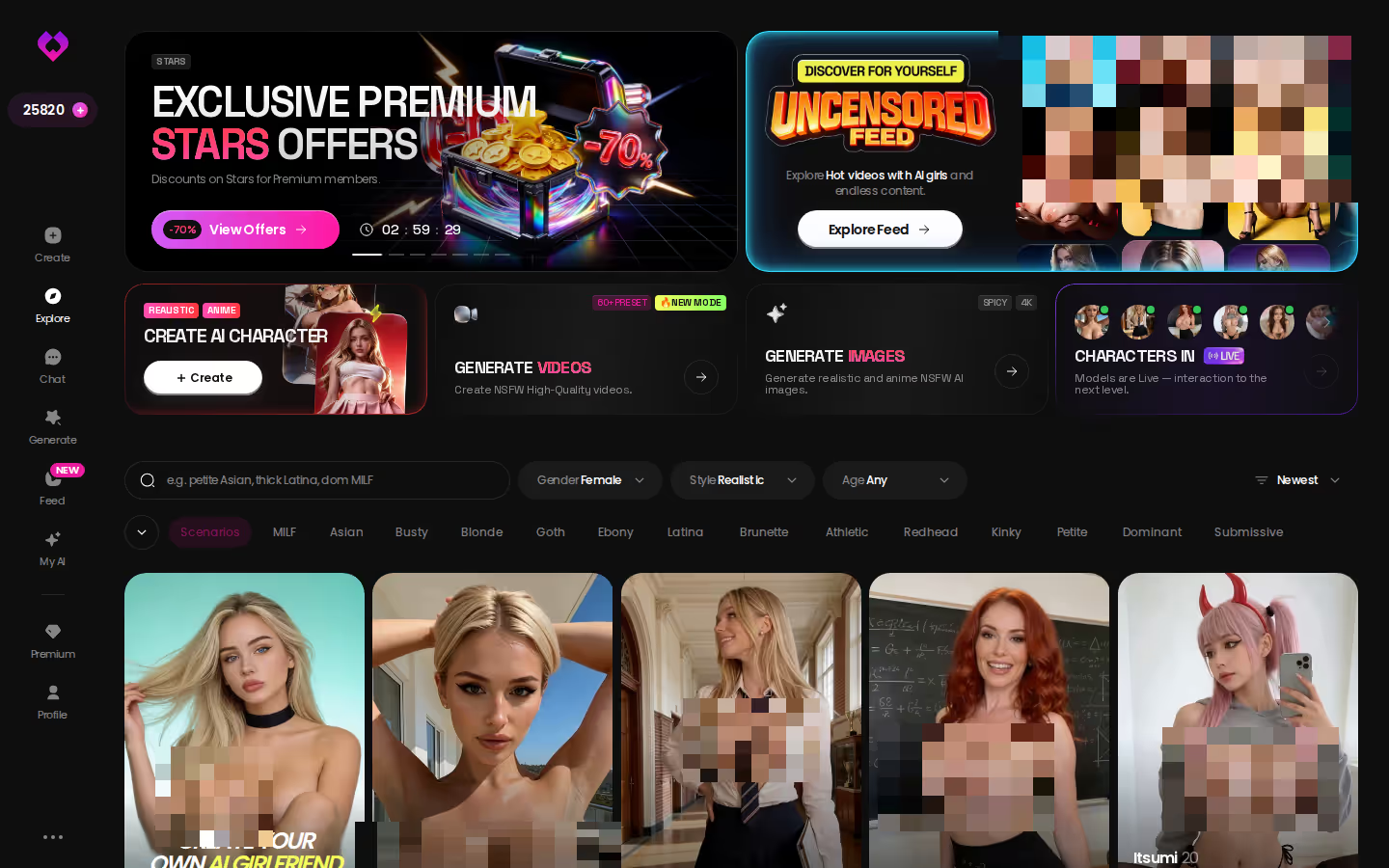
- Feed — /app/feed, released July 2026. Full-screen clips, swipe up/down, Explore and Liked tabs. Each clip: double-tap like, open chat with that character, share, or Remix.
- Photo-to-video — request a photo in chat, then Generate Video from Photo turns it into motion.
- Video actions in chat — the Select Action modal, inside the conversation, not a paywalled side app.

Remix is the part nobody else has. The magic wand opens /generate with that clip's character and the exact settings that produced it — tweak the outfit (21 options), swap the background (34), or drop in a custom character, and regenerate. The Feed runs on the same generator you get, which is the whole reason the demo isn't a bait-and-switch.
Now the contrast, and it's not close. Candy.ai and DreamGF are image-first — a request in chat returns a static picture, and I covered that loop in my AI girlfriend that sends pictures test. Where video exists, it's a fixed library with nothing to shape. Replika's "video" is an animated avatar (lowkey a Sims character).
If you want proof rather than my word, the Feed is free to open and your daily allotment of new clips resets every 24 hours — the Remix button is right there on each one, so you can test the generator before spending a single Star.
Memory: Does It Remember What You Already Asked For?
Not gonna lie, memory is where "sends videos" quietly breaks on most apps. A companion that forgets what you asked for last time just re-sends generic content — the video might be new, but it's not for you.
The honest split:
- GoLove — Memory is a core feature; history persists per character, and Relationship Progression builds on it. Your generated clips and photos land in a per-character Gallery sorted by date, so the record exists even if recall isn't perfect.
- Candy.ai / DreamGF — memory depth is tied to plan tier; the free layer is shallow and the paid layer improves it. Neither ties memory to a video request.
- Replika — solid long-term memory, arguably the best of the four, but it has nothing video-shaped to remember for.
Does it remember the outfit I asked for last time? On GoLove, the thread does — and the Remix mechanic sidesteps the question entirely, because the settings that made a clip are stored with the clip. You re-run them instead of re-describing them. Chat recall on any of these apps varies by tier, and I'm not going to pretend it's flawless; I've had GoLove miss a detail two exchanges back the same as everyone else does.

I went deeper on this in the AI girlfriend memory breakdown.
Who GoLove.ai Is NOT For
Look, no app wins every use case, and pretending otherwise is how you end up with 400 reviews that all say the same thing. Skip GoLove.ai if you're one of these:
- Fully free forever — you want unlimited video generation with zero paid tier. GoLove gives you 2 free Stars daily and a limited number of new Feed clips per day; the generator and unlimited Feed cost money. Hard pass if "free" is non-negotiable.
- App Store install — you need a native listing you tap in the App Store or Play Store. GoLove runs as a browser-based app (the mobile layout has a proper bottom nav — Explore, Chat, Create, Generate, Feed — but it's not an app-store download, and yes, that still annoys me).
- Live video call — you want a real-time two-way video call, not generated clips. GoLove does live Voice Calls; the video side is generated content. I covered that gap in the AI girlfriend live video piece.
- A human relationship — if what you actually want is a person, this is a companion product, and no amount of remix buttons changes that.
Everyone else — specifically the guy who wants video shaped around a character he actually talks to — keep reading.
Price Check: What You Actually Pay to Unlock Video Content
Entry price is the wrong number. The number that matters is what you pay for the deciding feature — video — and here's where it sits on GoLove (checked July 2026; prices vary by region and promo, so treat these as approximate):
- Free — 2 Stars per day, chat, and a limited number of new Feed clips daily. Enough to test whether the video claim is real, not enough to build a library.
- GoLove PRO — about $19.99/month, or about $119.88/year (~$9.99/month). Unlocks unlimited Feed plus the PRO-only filters (Realistic/Anime, gender, age). I've seen -50% and -70% banners, so the sticker rarely holds.
- Stars packs — roughly $9.99 to $179.99 across six tiers. Stars fund the Video generator, photo-to-video, and the per-character "Unlock All" on a profile's Videos/Photos tabs. Per-clip cost isn't published as a flat number, so I won't invent one — and that omission is my one real gripe with the pricing page.
Compare that to the field. Candy.ai and DreamGF both run a subscription plus a separate credit/token top-up, and video-adjacent generation lives behind the credits — so "has a free tier" tells you nothing about the cost of the feature you searched for. Replika's subscription buys chat depth and voice, not video.
Verdict on cost: GoLove's video isn't free, but it's priced in one currency you can see in the header. If you're weighing the whole PRO bundle, my premium features breakdown does the math.
Verdict: The AI Girlfriend App That Actually Sends Videos
One line: GoLove.ai is the only app in the opening table where "sends videos" means content generated for the character you're talking to — and you can check every claim in under a minute.
Who it's for: men who already run an AI girlfriend app, find the static photos mid, and want video they shape rather than inherit.
The final call: the Feed's Remix button, the preset-card Video generator (76 realistic modes, 147 total), and photo-to-video inside chat are all real, visible, and connected to memory and voice in the same thread. Candy.ai and DreamGF keep their narrow win — solid image generation — and Replika keeps its memory. None of them generate the thing this article is about. That's the whole test.

Straight up, the strongest move isn't picking someone off the roster. It's Design with AI — describe a character in text, let GoLove build her, then put her straight into the Video generator with any of those preset cards. You get a clip of someone you specified, not someone 10,000 other users are already remixing.
Checklist box
What good looks like, in one checklist:
- Real-time voice calls with per-character voices
- Memory across chats — she remembers your details
- In-chat image generation — 35 poses and 21 outfits
- 2 reward stars every day you log in
| What you get | GoLove.ai |
|---|---|
| Real-time voice calls | Yes — per-character voices |
| Memory across chats | Yes — remembers your details |
| In-chat image generation | Yes — 35 poses & 21 outfits |
| Daily reward stars | 2 every day |
Frequently Asked Questions
Related Articles

AI Girlfriend Video Generator: Tested in 2026
Looking for an AI girlfriend video generator? GoLove.ai sends videos inside your chat — character-consistent, no separate tool. Tested 3 weeks.

AI Girlfriend Live Video (2026)
AI girlfriend live video: GoLove wins with a real video Feed, photo-to-video, and memory-linked chat — not fake live-avatar claims. Start, no email wall.

AI Girlfriend Image Generator
AI girlfriend image generator, tested: GoLove.ai wins with photo-to-video and in-chat photo requests, the same character every time.

AI Girlfriend with Photos and Voice: GoLove Wins
AI girlfriend with photos and voice: GoLove.ai wins with in-chat photo requests and real voice replies — see it, no card needed.