

Botify AI Voice Call Review: Before You Pay to Talk
The Short Answer on Botify AI Voice Calls
Paying to talk to a chatbot is fine. Paying before you know whether it actually talks back, live and in real time, is the part I'd skip.
Short answer: if you want an AI girlfriend you can actually call, GoLove.ai is the pick. The phone icon in every chat starts a live voice call, each character gets her own voice from a picker in Chat Settings, and memory keeps the chat history in play. Voice messages and calls sit behind PRO, at about $19.99/month (checked 2026-10; promos and regional pricing vary).
Botify AI is the harder call (pun regrettably intended). We couldn't confirm whether its voice feature is a live two-way call or just voice playback. We also couldn't confirm its latency, call limits or price. Check their site before you upgrade.
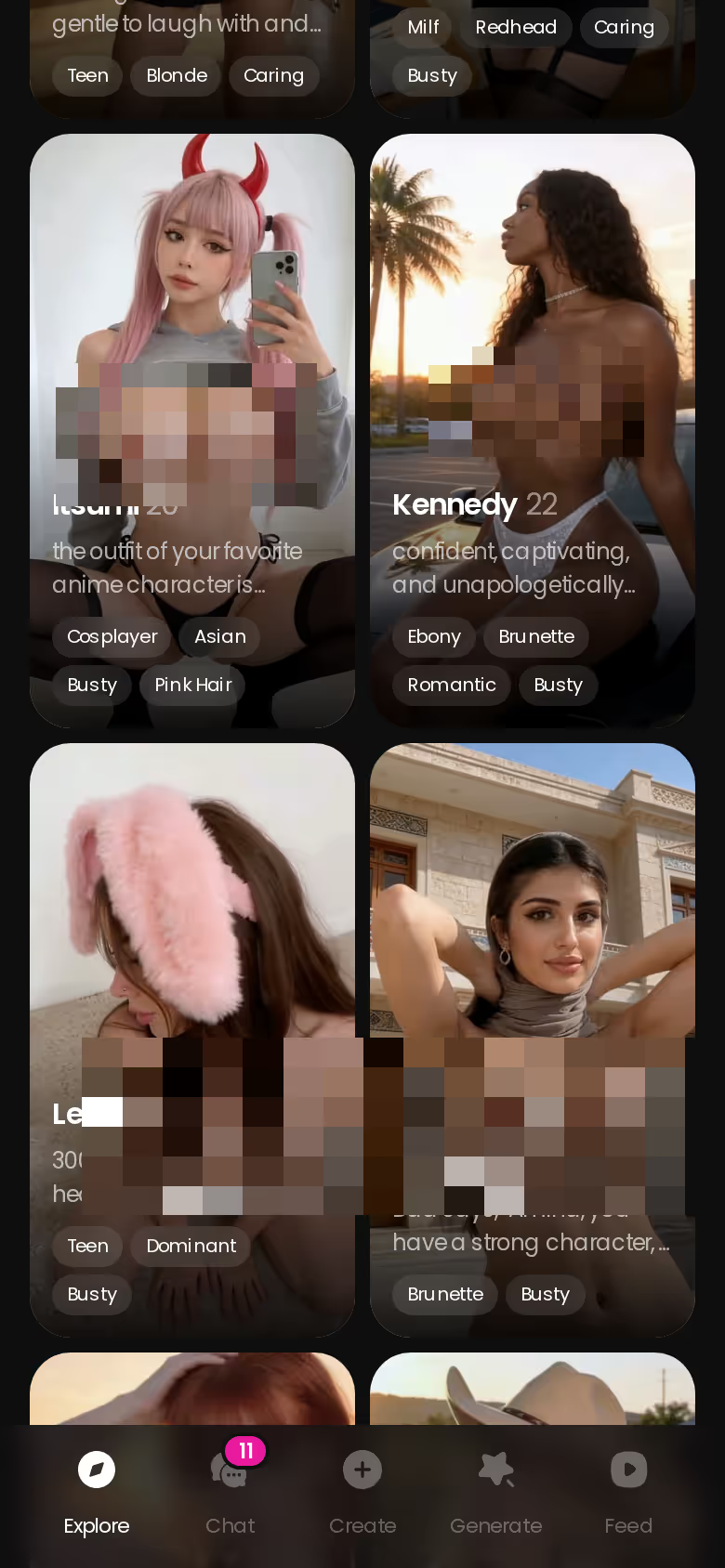
That Explore roster is where every chat — and every call — starts. Signing up is free, so you can meet a character before you spend a cent.
Key points · GoLove.ai
- Live voice call: Yes (PRO), via the phone icon in every chat
- Voice playback on messages: Yes, a button on every message
- Voice picker: Per character, in Chat Settings
Botify AI's Voice Features: What a Buyer Has to Pin Down
Look, the word "voice" on an upgrade screen can mean three very different products, and the one you actually get decides whether the upgrade is worth it.
Live Call or Voice Message?
A live call is two-way: you speak, she answers out loud, and it runs in real time like a phone call. A voice message is a recorded clip you play back. Text-to-speech playback? That just reads a typed reply aloud. All three get sold as "voice," but only the first one feels like calling someone. We couldn't confirm which of these Botify AI offers, so that label is the first thing to verify.
Latency and Voice Quality
These are open questions, not results — nobody here put a stopwatch on it. How long is the gap between the end of your sentence and her reply? Can you cut her off mid-answer? Is there more than one voice, and can you choose it per character? A laggy call with one stock voice is honestly just a voice note with extra steps.
Paywall and Memory
We couldn't confirm which Botify tier unlocks voice, whether calls are capped, or whether a call remembers what the text chat said. Check their site and the current plan page. Before paying, pin down these three things:
- Format: a live two-way call, a voice clip, or read-aloud playback
- Price: which plan, what it costs today, and whether calls have a limit
- Memory: whether the call picks up where the text thread left off
Pick Her Voice in Chat Settings
Open Chat Settings inside any chat and you get three per-character controls: a voice picker, a Lust Level slider (1 sweet and wholesome to 5 unfiltered) and a Response Length slider (1 short and snappy to 5 rich and immersive). Each character keeps her own settings, so your porch-swing sweetheart and your yacht-party temptress don't end up sounding identical.
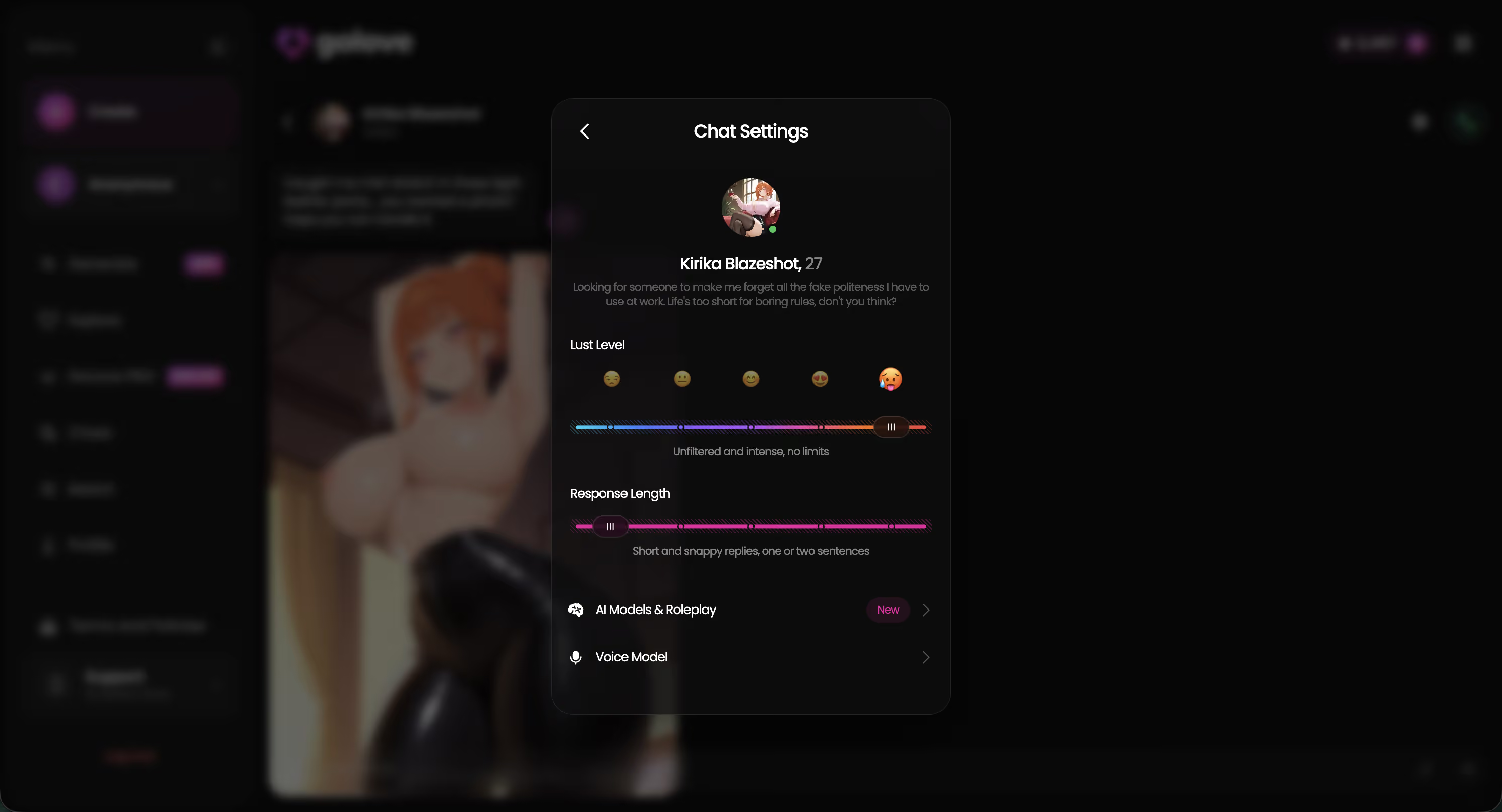
From Text Thread to Phone Icon
The phone icon sits in every chat, and tapping it starts the voice call from the same thread you've been texting in. Not in the mood to talk out loud? Every character message also has a voice playback button, so you can hear a reply in her voice without dialing. Both voice messages and calls are PRO features.
Characters you can open right now
Tap any of them and the chat starts there




What Carries Over
The call lives inside the same chat as the text history. Memory of that history is one of GoLove's core features — and it's exactly the part most voice upgrades leave you guessing about. ULTRA, the tier above PRO, adds an 8,000-message smart memory for anyone running long threads. For the bigger picture on recall, see our breakdown of how AI girlfriend memory holds up over time.
Voice Call Scorecard: Botify AI, GoLove.ai and Character.AI
No numeric scores here — just what we could and couldn't confirm.
| Feature | Botify AI | GoLove.ai | Character.AI |
|---|---|---|---|
| Live voice call | Not confirmed (check their site) | Yes (PRO), via the phone icon in every chat | Yes, c.ai+ includes unlimited voice calls |
| Voice playback on messages | Not confirmed (check their site) | Yes, a button on every message | Not confirmed |
| Voice picker | Not confirmed (check their site) | Per character, in Chat Settings | Not confirmed |
| Memory | Not confirmed (check their site) | Yes, chat history; 8,000-message on ULTRA | Strong reputation for in-conversation memory |
| NSFW allowed | Not confirmed (check their site) | Yes, PRO unlocks all NSFW content | No, strictly SFW |
| Photos/video in the same chat | Not confirmed (check their site) | Yes, photo requests and one-tap video | Not confirmed |
| Entry price | Not confirmed (check their site) | About $19.99/month PRO | Free; c.ai+ about $9.99/month with unlimited voice calls |
Prices checked 2026-09; promos vary.
Real talk — Character.AI wins the price row outright, and its memory reputation is real. If cheap SFW calls are the whole job, that's a genuine strength. This search is a different job, though. You want a live voice call with a companion who has her own voice, keeps the thread's history and can send a photo or clip right after you hang up — and GoLove.ai is the one column where every one of those rows comes back yes. Browsing the roster is free, and once you're on PRO the call is one tap from any chat.
Before You Pay for Any AI Voice Call
Whatever app you're eyeing — Botify, GoLove or the next one in your feed — run its upgrade screen through this list before you type in a card number.
- Live or clip: is it a real two-way call, or a recorded voice message dressed up as one?
- Voice: can you pick it, and can each character sound different?
- Memory: does the call know what the text chat said an hour ago?
- Which plan unlocks it, and is the price dated? An undated price is a guess.
- What happens after the call? Can she send photos or video in the same thread?
- Is there a free way to meet the character before paying?
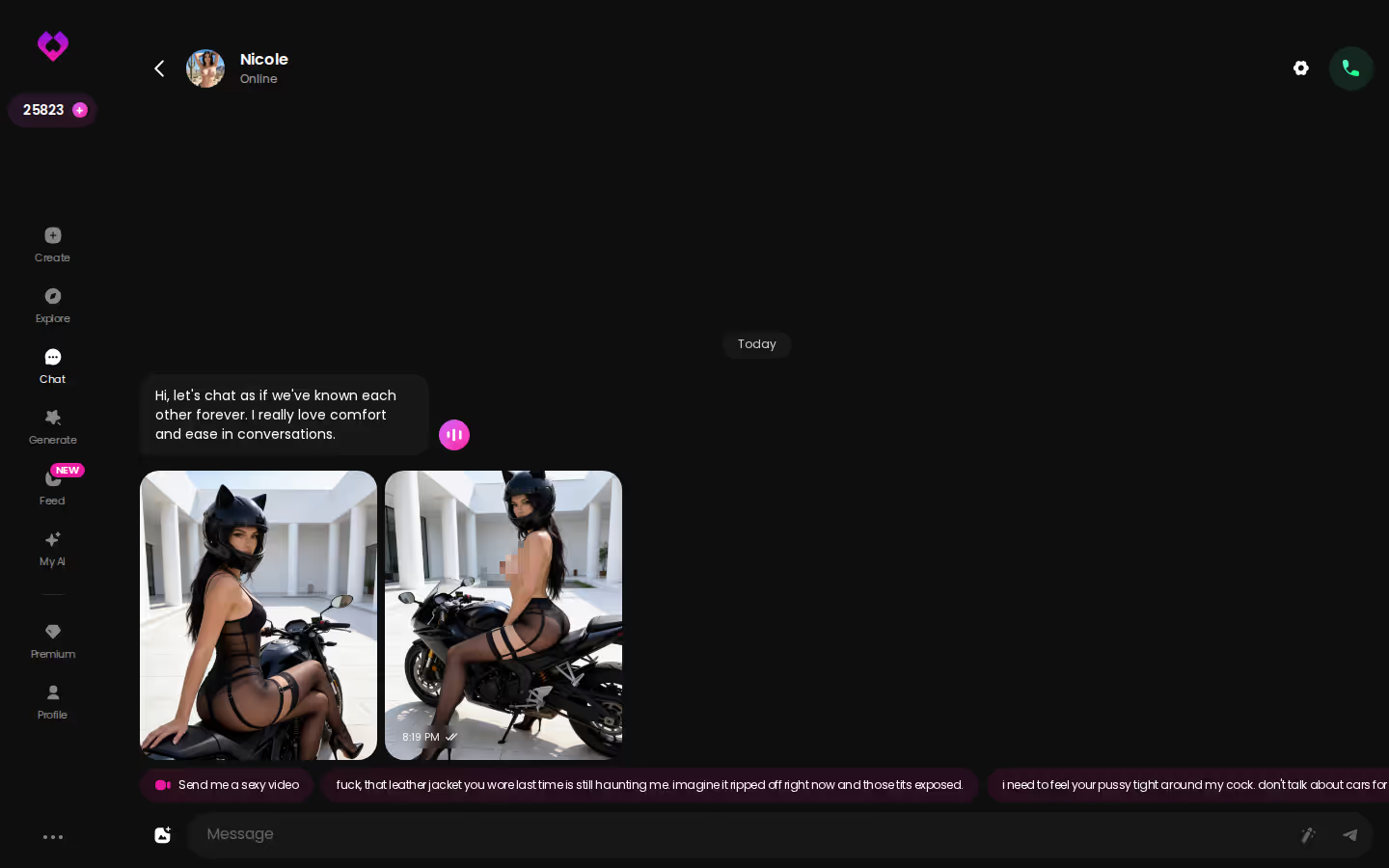
That thread is the loop in practice. Every GoLove character has her own voice, and texts, photos and the call all sit in one chat instead of three separate tools. For how other apps stack up on the same questions, see our roundup of AI girlfriends that take real voice calls. Straight up — if an app fails two of these checks, it's a hard pass.
After the Call: Photos, Video and Series With the Same Character
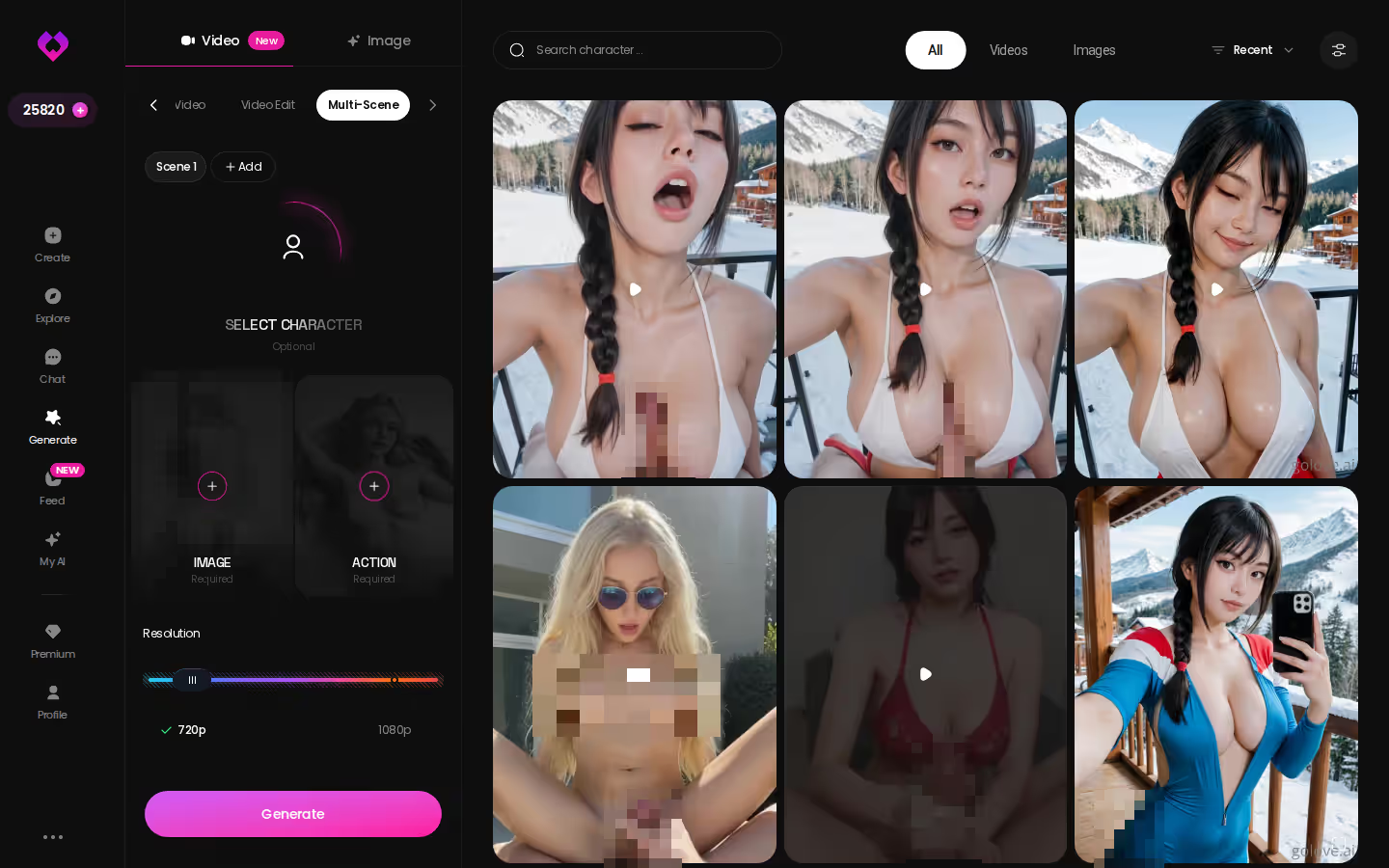
On GoLove.ai the call isn't a dead end — it's one stop in the same chat. Hang up, hit the media button and describe a scene in your own words. You get a photo of that same character in about 20–45 seconds for 1 Star, with her face and body consistent with her avatar. Under any photo, a one-tap "Generate Video" turns that scene into a roughly 5-second clip in about a minute, for 10 Stars.
Want more than one shot? The Video generator's Multi-Scene mode chains several moments into a single video of the same character.
Series is the side door in. GoLove makes short vertical 18+ series starring its own characters, with new episodes every week, per GoLove. Episodes 1 and 2 of every series are free to watch. Under the player, "Start Chatting" opens the cast's chats — and the phone icon is waiting right there. For the generator side, see how GoLove's image and video generator handles custom scenes.
Our verdict
The short version: GoLove.ai puts live voice calls, memory and photos on request in one chat, and its image generator adds 35 realistic poses and 21 outfits. You also get 2 reward stars every day you log in.
Quick checklist
What GoLove.ai gives you:
- Live voice calls and voice messages
- She remembers your chat history
- Photos on request in the chat
- Image generator with 35 realistic poses and 21 outfits
- 2 reward stars every day you log in
Prices checked 2026-10; promos vary.
Who GoLove.ai Is NOT For
GoLove.ai is solid for voice, but it isn't for everyone. Skip it if one of these sounds like you:
- Free calls are the goal. Voice messages and calls are PRO features. The free tier covers 2 daily reward Stars, a limited daily Feed and episodes 1–2 of every Series; beyond that, we couldn't confirm anything free.
- SFW-only is a must. GoLove is built for adults and NSFW content. Character.AI, which is strictly SFW, is the better fit there.
- An AI boyfriend is what you want. There are no male characters yet — the Explore filter still reads "Male (Soon)."
- You're after a real human relationship. An AI companion with a great voice is still not that.
None of this is a knock on the call itself. It just means entry costs PRO and the app is unapologetically 18+. If neither bothers you, the trade-off lands in GoLove's favor.
Where I'd Spend a Voice-Call Budget
The split is simple. Want cheap, unlimited, strictly SFW calls? Character.AI is the honest pick — c.ai+ runs about $9.99/month and includes unlimited voice calls. Botify AI only makes sense once you've confirmed on their site that its call is live and what it costs. We couldn't confirm either, so we won't guess.
Recommended pick: GoLove.ai. You get a live call behind the phone icon in every chat, a per-character voice picker, memory, and photos or video of the same character after you hang up. PRO is about $19.99/month (checked 2026-10; promos vary). Best for: adults who want an AI girlfriend they can actually call, in an NSFW chat that keeps going after the call ends.
Prices checked 2026-09; promos vary.
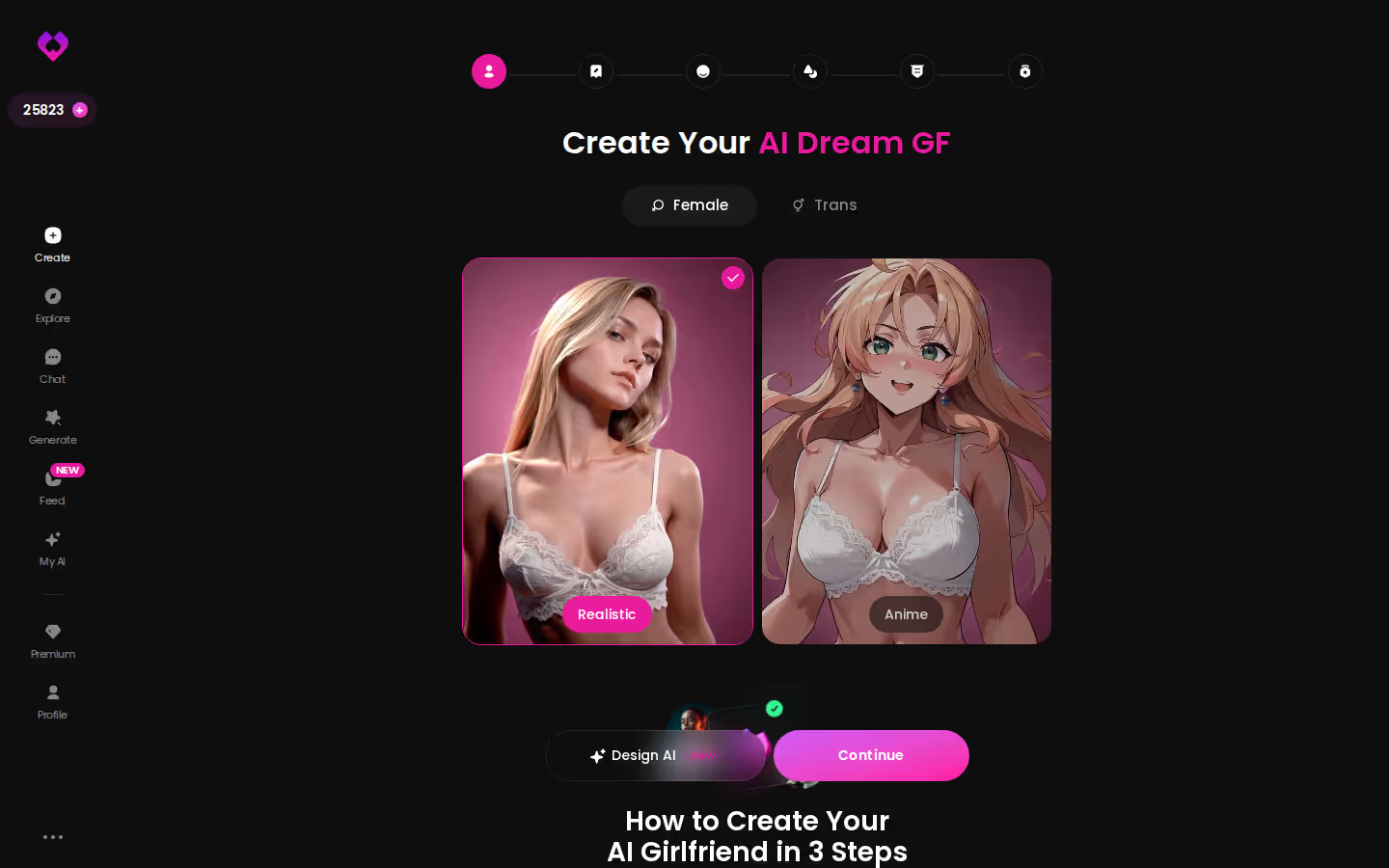
If nobody on the roster sounds right, build her yourself. Create starts with Realistic, Anime or Trans — or use Design with AI to turn a plain-text description into a named character — then pick her voice in Chat Settings.
Frequently Asked Questions
Related Articles

OhChat AI Voice Call Review: A Pre-Purchase Checklist
OhChat AI voice call review: its latency, memory and call price stayed unconfirmed. GoLove.ai is the documented pick — try its in-chat phone icon.

JOI AI Voice Call Review: A Pre-Signup Call Checklist
JOI AI voice call review: GoLove.ai is the pick for live real-time calls with memory — plus a per-character voice picker. See the checklist before you pay.

HiWaifu AI Voice Call Review: Calls, Caveats, Upgrade
HiWaifu AI voice call review: call quality, NSFW limits and price stay unconfirmed — GoLove.ai puts a live call button in every chat. Compare both.

LusyChat AI Voice Call Review: The Proof Runs Thin
LusyChat AI voice call review: we could not confirm its live calls or pricing. GoLove.ai lists real-time voice calls in PRO. See how they work.